
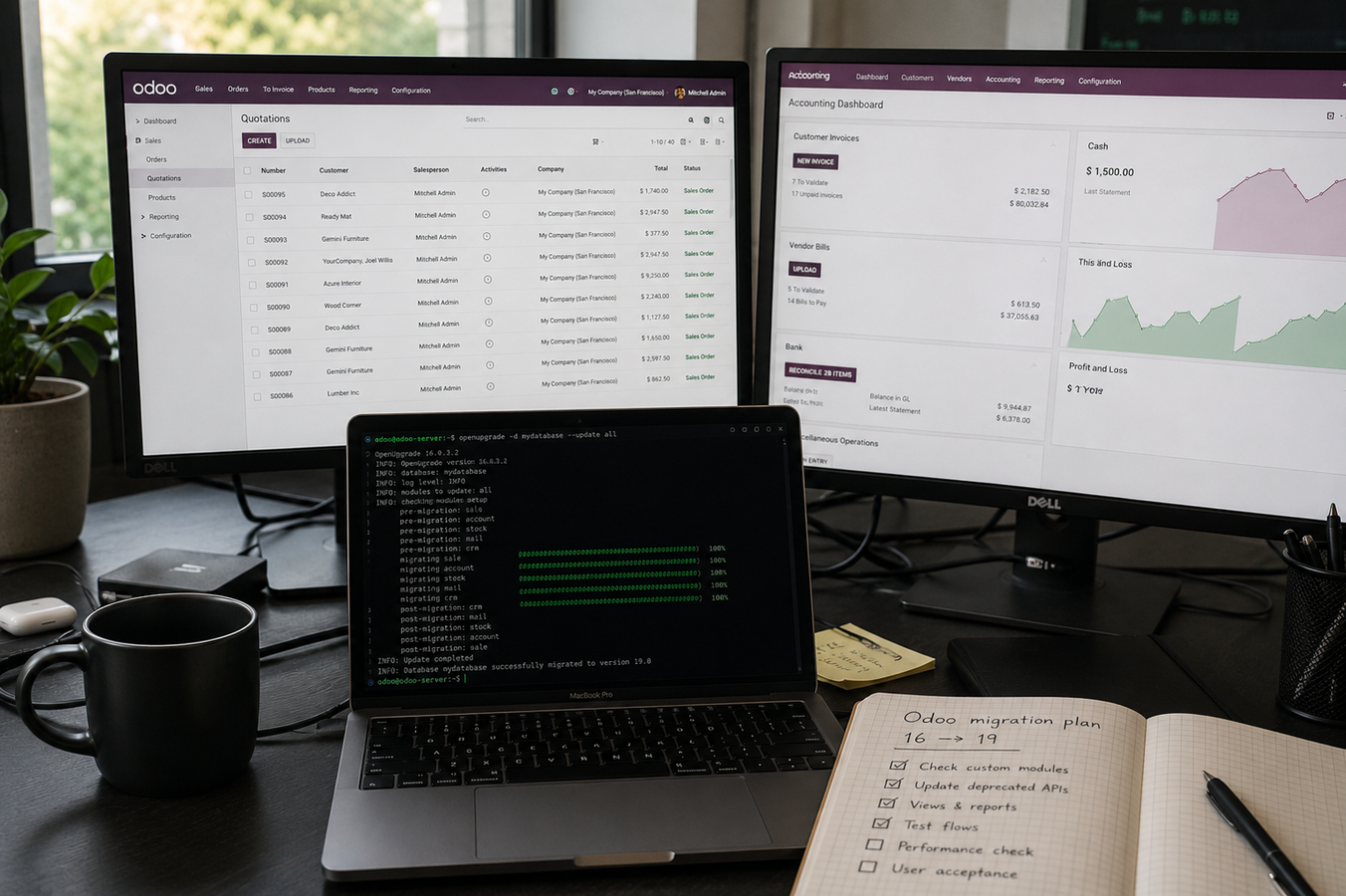
Your version is older than you think
Odoo ships a new major version every year, and supports the three most recent ones. That maths is unforgiving: if you went live on Odoo 15 in 2022, you have been running unsupported software for a while now. Odoo 16 dropped out of the support window around the release of 19. Odoo 17 is next in line.
Unsupported doesn't mean broken. Your system will keep processing orders tomorrow morning. What it means is:
- No security patches. Vulnerabilities found in the core stay open on your instance.
- No bug fixes. Anything that breaks becomes your development team's problem — or ours.
- A legacy surcharge. Enterprise customers on out-of-support versions can face an additional fee on their subscription — commonly cited at 25% — on top of what they already pay.
- A shrinking module ecosystem. OCA and third-party developers stop backporting. New payment providers, e-invoicing rules and localisation updates land on current versions only.
- Compliance drift. This is the one that actually forces the decision for most European businesses. E-invoicing mandates, VAT reporting formats and country-specific fiscal requirements are shipped as localisation updates — and those updates target supported versions.
The longer the gap, the more expensive the jump. A migration from 18 to 19 is a project. A migration from 14 to 19 is a rebuild with data preservation.
Should you migrate to 19 now, or wait for Odoo 20?
Fair question, since Odoo 20 is expected in autumn 2026. Our answer depends on where you are:
If you're on 14, 15 or 16 — go to 19 now. You're already unsupported and every month adds risk. Odoo 19 has been in production since September 2025, it's stable, the module ecosystem has caught up, and its support runway currently runs to roughly September 2028. That's a solid two years of quiet before you need to think about this again.
If you're on 17 — plan it for this year. You're at the edge of the support window. Migrating to 19 gives you the longest runway per unit of effort.
If you're on 18 — no urgency. Evaluate 19's features against your roadmap, and consider skipping straight to 20 next year.
The instinct to "just wait for the newest one" usually backfires. A version released last month has the thinnest third-party module coverage and the most rough edges. Migrating one version behind the bleeding edge is almost always the cheaper, calmer choice.
Two very different paths: Enterprise vs Community
This is where a lot of migration budgets get misjudged, so it's worth being blunt about it.
Odoo Enterprise customers get access to Odoo's official upgrade service. You submit a database, Odoo's platform returns it converted to the target version, and you can jump from any version straight to 19 without stepping through the intermediate ones. It's included with a valid subscription and it works well — for standard code.
Odoo Community has no equivalent. There is no official upgrade wizard and no one-click path. Your realistic options are:
- OpenUpgrade — the OCA project that provides migration scripts. It handles schema changes and data transformation, but you run it version by version, and custom code still needs manual work.
- Third-party migration tools — several vendors now chain the version steps automatically.
- A clean install with data export/import — sometimes the pragmatic answer for small databases with few transactions, but you lose historical records unless you plan the export carefully.
Whichever path you take, one thing stays constant: Odoo migrates its own code, not yours. Your custom modules are always your responsibility.
What actually breaks
Between versions 16 and 19, the cumulative changes run into hundreds of model changes, dozens of model renames, module merges, field renames and constraint changes. In practice this hits four areas:
Custom modules. Deprecated APIs, removed methods, restructured XML views, changed security rules. Every custom model, inherited view and report needs review. This is nearly always the largest line item in a migration budget — and it's ordinary development work, not something a script solves.
Third-party and OCA apps. Before anything else, inventory every installed module and check whether a 19 branch exists. Sometimes the module was merged into Odoo core, which is good news. Sometimes it's abandoned, and you need a replacement or a rewrite.
Integrations. Webshops, payment gateways, warehouse scanners, external APIs, BI tools. Anything talking to Odoo over XML-RPC or REST needs testing against the new schema — field renames break integrations quietly.
Reports and printed documents. QWeb templates drift between versions. Invoices, delivery notes and labels should be visually verified page by page, not assumed to work.
A migration that doesn't hurt
The process we follow on every upgrade project:
1. Audit. Full inventory of installed modules, customisations, integrations and database size. This is where the real estimate comes from — and where we usually find modules nobody has opened in three years. Uninstalling dead weight is the cheapest migration work you'll ever do.
2. Test migration. Restore a production copy to a staging server and run the upgrade there. Production is never touched. This run tells you how long the conversion takes, which is what your downtime window is built from.
3. Adapt the code. Custom modules are ported to 19, in version control, in parallel with the database work. Third-party modules are replaced or updated.
4. Test with real people. Not just "does it boot" — full business cycles. Quote to cash. Purchase to payment. Production order to stock move. Month-end close. Get the accountant and the warehouse lead in front of the staging system, because they'll find things a developer never will.
5. Cutover and support. Fresh backup, final migration, go-live in a planned window — usually a weekend. Then hands-on support during the first days, when users meet a changed interface and small things surface.
Timeline and what drives cost
A small database with light customisation: typically 4–8 weeks end to end. A mid-sized company with heavy customisation, several integrations and years of transactional data: 3–6 months.
The database conversion itself is often the fastest part — a database under 1 GB can convert in minutes. Cost is driven by customisation volume, integration count, how many versions you're jumping, and how much testing your business processes require. Not by how big your data is.
Mistakes we see repeatedly
- Migrating without an audit. You can't budget what you haven't inventoried.
- Skipping the test run. Discovering the conversion takes six hours during your go-live window is a bad Saturday.
- Treating it as an IT project. Migration is a business process review. Users need to see the new version before go-live, not on Monday morning.
- Carrying over dead customisation. Half the custom code in an old Odoo instance solves problems that standard Odoo now solves natively. Migration is the right moment to delete it.
- No rollback plan. A tested restore procedure, not just "we have backups".
Where to start
If you're on 14, 15, 16 or 17, the useful first step isn't choosing a tool — it's knowing what you actually have. An audit of your modules, customisations and integrations turns "we should probably upgrade at some point" into a scoped project with a real timeline and a real number.
We handle Odoo migrations end to end: audit, custom module porting, test migrations, cutover and post-go-live support — for both Community and Enterprise, on-premise and Odoo.sh.
Book a free consultation and we'll tell you honestly what your upgrade looks like — including if the answer is "wait a year".